
 By
By 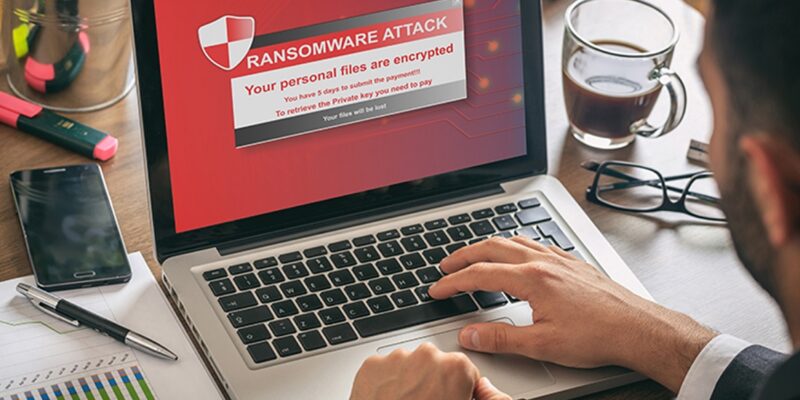
Ransomware attacks have become one of the most disruptive cyber threats affecting individuals, businesses, and public institutions worldwide. These attacks can lock users out of critical systems, encrypt valuable data, and demand payment in exchange for restoration. Understanding how ransomware operates is essential for building effective protection strategies.
This article explains how ransomware attacks work step by step and outlines practical methods to reduce risk and respond effectively.
What Is Ransomware
Ransomware is a type of malicious software designed to block access to systems or files until a payment is made. Attackers usually demand cryptocurrency because it is difficult to trace.
There are two primary categories of ransomware:
Crypto ransomware
Encrypts files and makes them inaccessible without a decryption key.
Locker ransomware
Prevents access to an entire device or operating system without encrypting files.
Modern ransomware often combines encryption with data theft, increasing pressure on victims to pay.
How Ransomware Attacks Work
Understanding the attack lifecycle helps organizations detect threats early and respond faster.
Initial Infection
Attackers commonly use entry methods such as:
- Phishing emails with malicious attachments
- Fake software downloads
- Compromised websites
- Remote Desktop Protocol vulnerabilities
- Infected USB devices
Phishing remains the most common delivery method because it exploits human behavior rather than technical weaknesses.
Execution and Installation
Once opened or activated, ransomware installs itself quietly in the background. It may disable security software and create persistence mechanisms so it runs automatically after reboot.
Attackers often escalate privileges to gain administrative control of systems.
Lateral Movement
Advanced ransomware spreads across networks to infect multiple devices before detection.
This stage may include:
- Credential harvesting
- Network scanning
- Exploiting outdated systems
- Accessing shared drives
The goal is to maximize impact before launching encryption.
Data Encryption
After gaining access to multiple systems, ransomware encrypts files using strong cryptographic algorithms. Victims cannot open their data without a decryption key.
Files commonly targeted include:
- Documents
- Databases
- Images
- Backups
- Configuration files
Ransom Demand
Once encryption is complete, attackers display a ransom note explaining payment instructions.
Many modern attacks also involve double extortion, where attackers threaten to publish stolen data if payment is refused.
Common Types of Ransomware Attacks
Several ransomware variants dominate recent cyber incidents.
Crypto ransomware
Encrypts important files and demands payment for recovery.
Locker ransomware
Locks entire systems without encrypting files.
Scareware
Displays fake warnings claiming systems are infected and demands payment.
Doxware
Threatens to release sensitive information publicly.
Ransomware as a Service
Allows criminals to launch attacks using rented ransomware tools.
Warning Signs of a Ransomware Attack
Early detection can limit damage significantly.
Watch for these indicators:
- Unexpected file extensions
- Sudden inability to access files
- Slower system performance
- Disabled antivirus tools
- Suspicious login activity
- Appearance of ransom messages
Prompt response during early stages can prevent widespread infection.
How to Prevent Ransomware Attacks
Preventing ransomware requires a layered security strategy that combines technology, policies, and user awareness.
Maintain Regular Data Backups
Backups allow recovery without paying ransom.
Best practices include:
- Store backups offline or in secure cloud storage
- Test backup restoration regularly
- Maintain multiple backup versions
Keep Software Updated
Outdated systems often contain exploitable vulnerabilities.
Update regularly:
- Operating systems
- Security software
- Applications
- Network firmware
Automatic updates help reduce exposure.
Use Strong Access Controls
Limiting user privileges reduces attacker movement inside networks.
Recommended actions:
- Enable multi factor authentication
- Restrict administrative access
- Monitor login attempts
- Apply role based permissions
Train Employees to Recognize Threats
Human error remains a major attack entry point.
Training should include:
- Identifying phishing emails
- Avoiding suspicious downloads
- Reporting unusual activity
- Verifying unknown links
Security awareness significantly lowers risk.
Deploy Endpoint Protection Solutions
Modern endpoint protection tools detect suspicious behavior early.
They help:
- Block malicious files
- Monitor network activity
- Detect encryption attempts
- Stop unauthorized access
Behavior based detection is especially effective against new threats.
Segment Networks
Network segmentation prevents ransomware from spreading rapidly.
Separating systems ensures:
- Reduced attack impact
- Faster containment
- Protection of critical infrastructure
This strategy is essential for organizations handling sensitive data.
What To Do If a Ransomware Attack Occurs
Responding quickly can reduce damage and recovery time.
Follow these steps immediately:
- Disconnect infected devices from the network
- Identify affected systems
- Inform IT security teams
- Preserve forensic evidence
- Restore from clean backups if available
- Report the incident to cybersecurity authorities
Avoid paying ransom unless absolutely necessary, as payment does not guarantee recovery.
Importance of a Ransomware Response Plan
Organizations that prepare response plans recover faster and experience less disruption.
A strong response plan includes:
- Incident detection procedures
- Communication workflows
- Recovery steps
- Legal reporting requirements
- Backup restoration strategy
Preparedness reduces operational downtime significantly.
Future Trends in Ransomware Attacks
Cybercriminal tactics continue evolving rapidly.
Emerging trends include:
- Targeting cloud infrastructure
- Supply chain compromise attacks
- Automated ransomware deployment
- Increased double extortion strategies
- Attacks against small organizations with limited defenses
Staying informed helps organizations adapt to changing threats.
FAQ Section
What industries are most targeted by ransomware attackers
Healthcare, finance, education, manufacturing, and government institutions are frequently targeted because they rely heavily on continuous access to critical data.
Can ransomware spread through WiFi networks
Yes, ransomware can spread across connected devices on the same network if attackers gain access credentials or exploit shared resources.
Is paying the ransom illegal
Paying ransom is not always illegal, but it may violate regulations if attackers are linked to sanctioned entities. Legal consultation is recommended before payment decisions.
Can antivirus software completely stop ransomware attacks
Antivirus software helps detect threats but cannot guarantee full protection. A layered cybersecurity strategy is necessary.
How long does recovery from a ransomware attack usually take
Recovery time varies from hours to several weeks depending on backup availability, attack severity, and system complexity.
Are cloud backups safe from ransomware attacks
Cloud backups are safer when properly configured with versioning and access controls. However, poorly secured cloud storage can still be compromised.
Can ransomware infect smartphones
Yes, smartphones can be infected through malicious applications, unsafe downloads, or phishing links, especially on devices without security updates.


Comments